Dataverse Data Submission
Start by signing in to DMPortal.
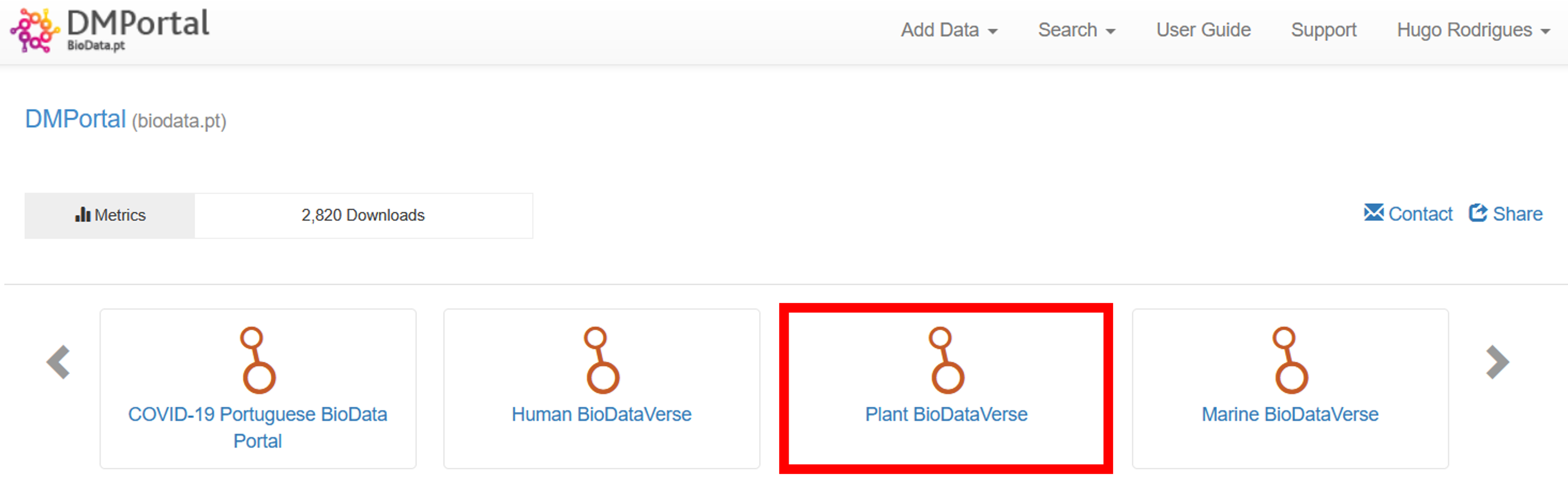
Select the Plant BioDataVerse
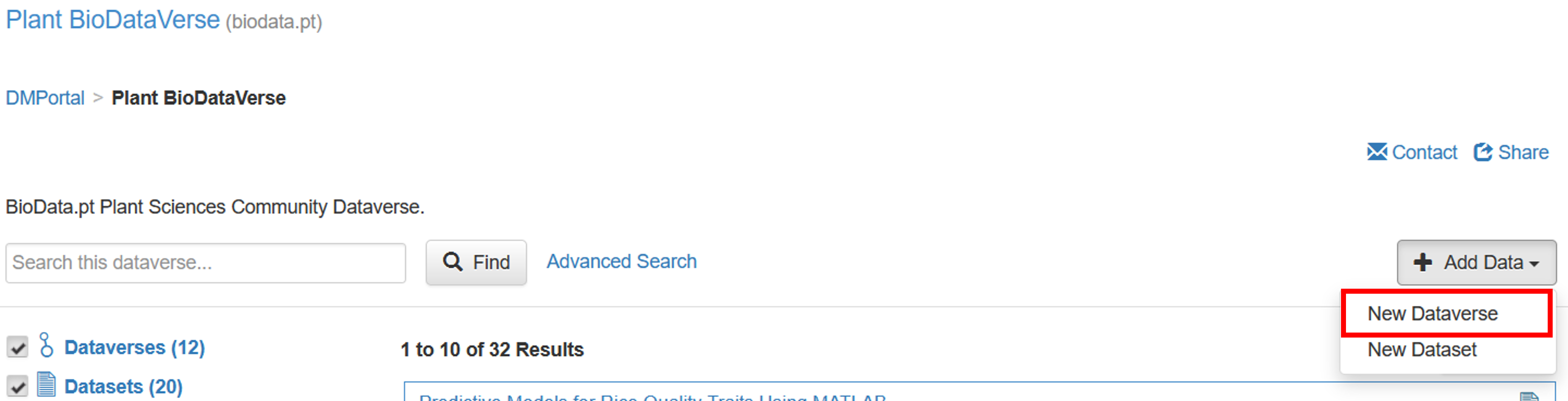
Click on Add Data ➡️ New Dataverse
Fill all the required fields to describe your new Dataverse. It is incentivized to use the same MIAPPE Investigation name for the Dataverse name.
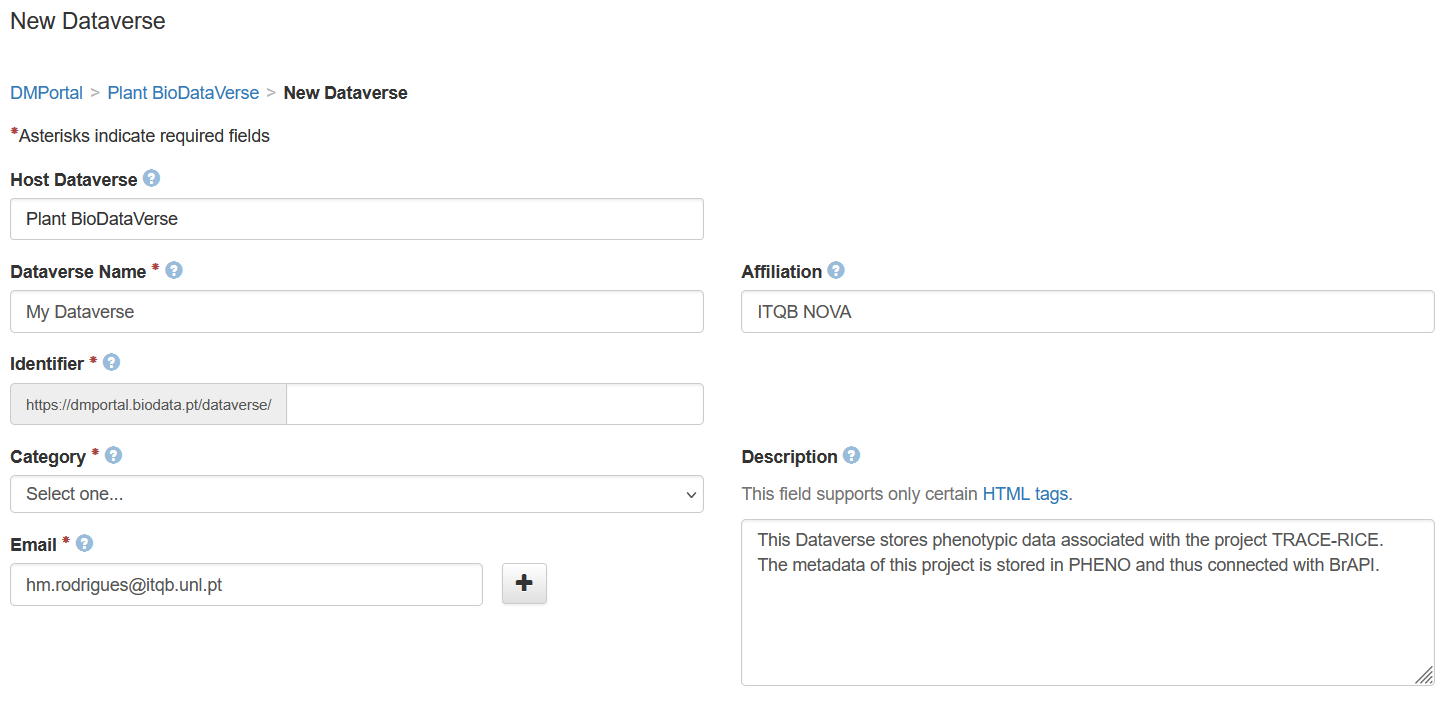
Legend: Example of a New Dataverse.
Click on Create Dataverse
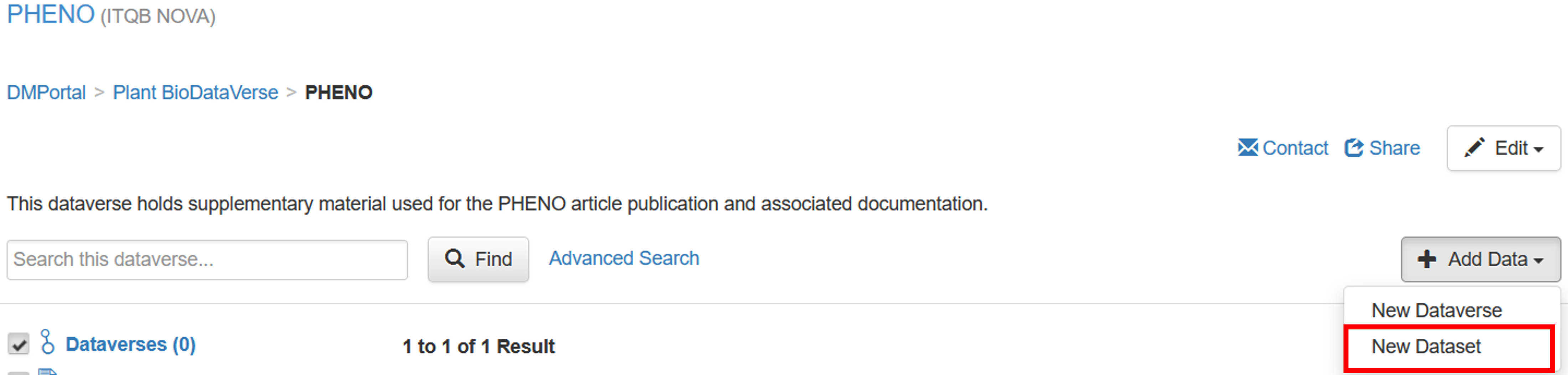
Within the new Dataverse, click on Add Data ➡️ New Dataset
Fill all the required fields to describe your new Dataset.
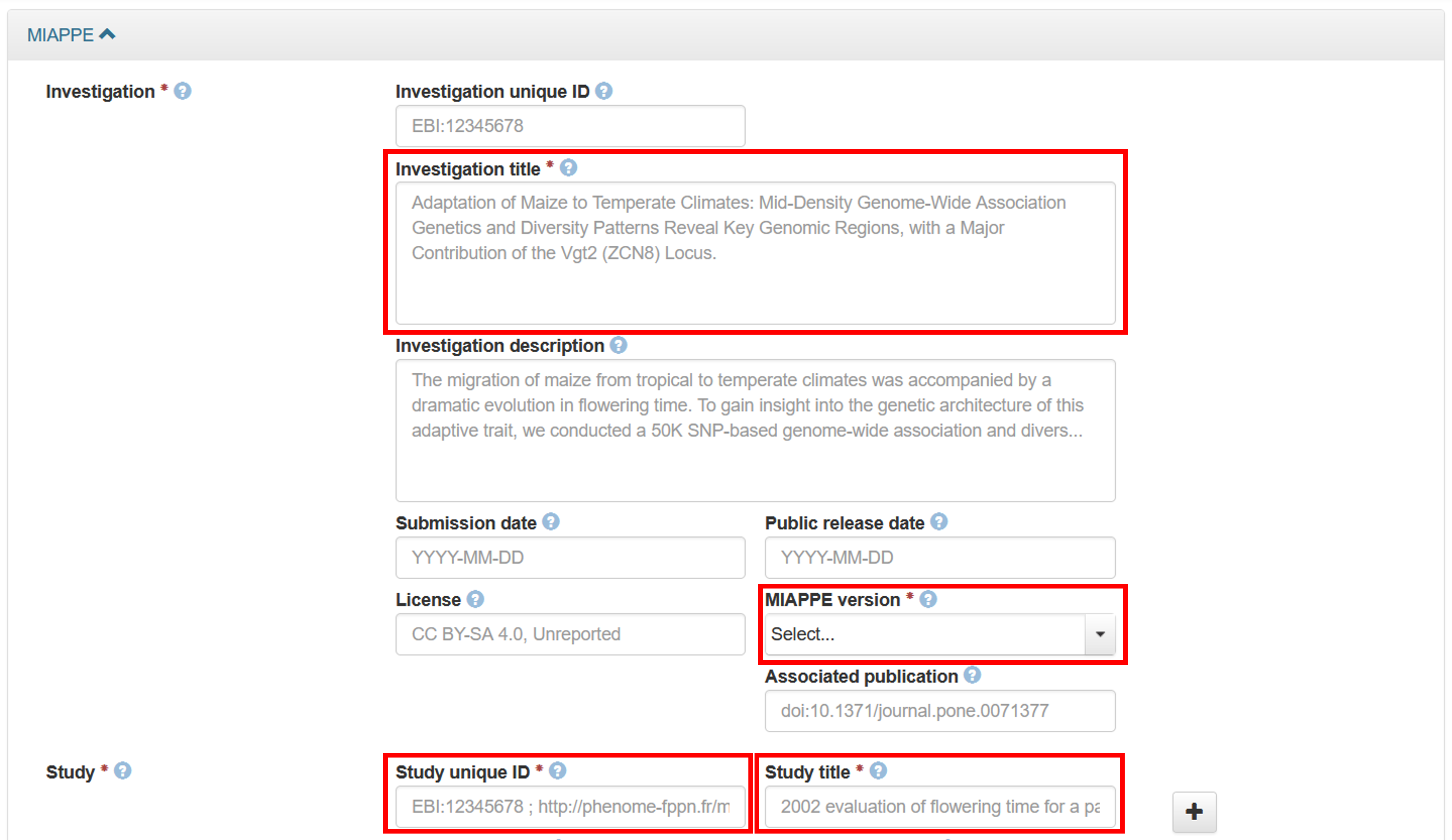
In the MIAPPE section, complete the fields in accordance with your MIAPPE template. Fill only the mandatory fields to avoid duplicate work.
Add data in the Files section by using one of the following methods:
Using the + Select Files to Add button
Using the Drag and drop files here box
Uploading your data with HTTP via your browser
Note
Optionally, you can also add your filled MIAPPE template in the Files section.
Scroll down and click on Save Dataset
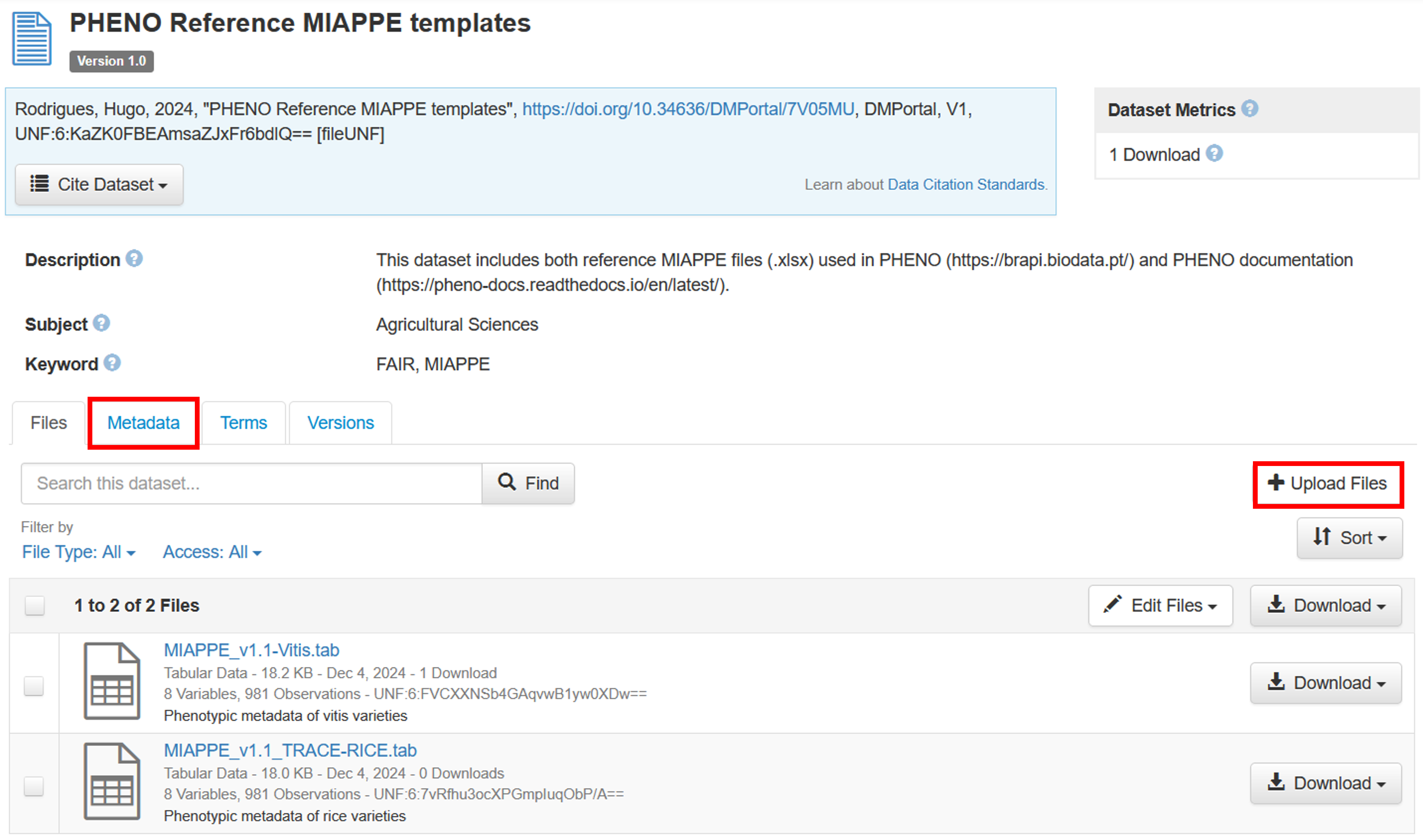
After the Dataset is created, you can delete or add more files to it using the + Upload Files button. It is also possible to edit the Dataset metadata in the Metadata section.
Note
Multiple datasets can be added to the same Dataverse to accomodate for all your phenotypic data.